Own it, script it, export it.
Zolash is a local-first AI notetaker for engineers and technical teams: the model runs on your device, it works offline, and it’s scriptable through a local API, MCP, and webhooks. Your meeting content never leaves your machine, and your notes are files you own in open formats — data you can automate and export, not rows in a vendor’s database.
Available for macOS, Windows, and Linux. Nothing uploaded.
The stakes
Your discussions are data — you should own where it lives.
Technical calls cover architecture, roadmaps, and security detail you’d rather not hand to a third party — and cloud notetakers are exactly the kind of tool a strict IT team pushes back on. You want the productivity of AI notes without the egress, the metering, or the lock-in of someone else’s cloud.
- Technical discussions and roadmaps shouldn’t sit on a third party’s servers
- Cloud notetakers are hard to clear with a strict IT or security team
- You want your notes as data you can own, script, and export
On-device by default
A model that runs on your machine — no keys, no cloud.
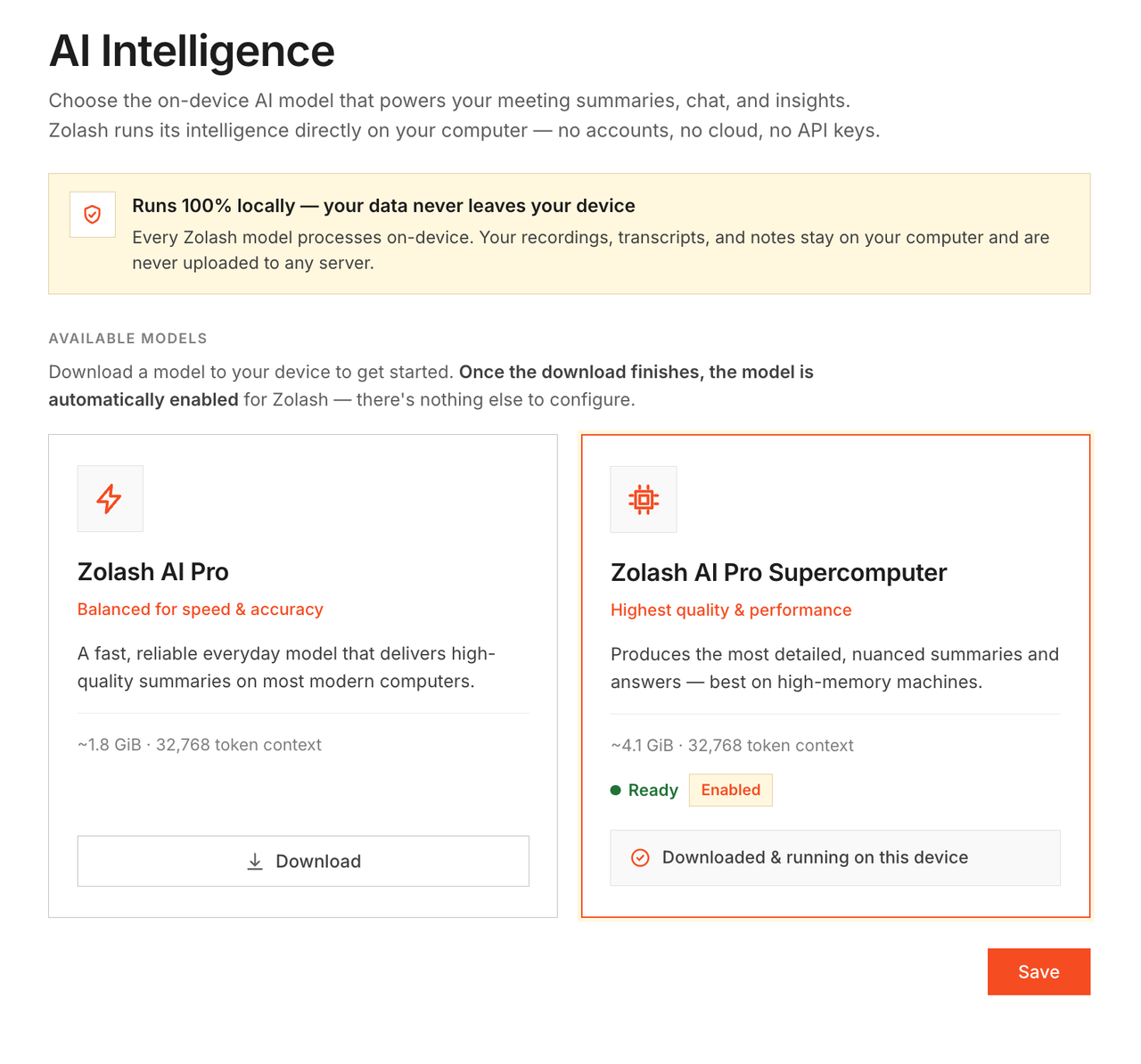
Zolash ships with a meeting-tuned model that runs locally. No API key to paste, no external inference, no per-meeting metering. It works offline, which makes it far easier to run inside a locked-down or network-restricted environment.
Script it, export it
A local API, MCP, and webhooks for your own workflows.
Wire Zolash into your pipeline: trigger a webhook when a meeting ends, drive it through a local API or the Model Context Protocol, or drop summaries into a Markdown folder in your repo. Your notes are files in open formats — data you own and can automate, not rows in someone’s database.
Confidential by architecture
No egress to gate, because meeting content never leaves.
Zolash runs on your device and keeps meeting content local, so there’s no data-egress path for a security team to allow-list — the only outbound traffic is a license check and any connections you opt into. Nothing is sent to the cloud to be processed, nothing trains a model, and your notes are open files you can inspect, back up, and script against.
Under the hood
Wire it into the workflow you already have.
A design review wraps up. A webhook fires, and your automation files the summary as Markdown in the repo and opens a ticket with the action items — all driven locally through the API. The transcript and summary sit on disk in formats you can grep, diff, and back up. No cloud round trip, no credits burned, no data leaving the box.
The features that matter here
Built on what you need most.
Questions, answered.
Does anything leave my machine?
Not your meeting content. Recording, transcription, and AI all run on-device. The only network paths are a license check, opt-in calendar sync, and exports you trigger — none of which carry your recordings, transcripts, or summaries.
Can it run in a locked-down or air-gapped environment?
Yes. Core features work fully offline, so there’s no meeting-content egress for your security team to gate. The license check and any opt-in connections are the only outbound traffic, and you decide whether to allow them.
How do I automate or integrate Zolash?
Through a local API, the Model Context Protocol (MCP), and webhooks, plus export to a local Markdown folder. You build the exact hand-off you want, and outbound pushes only happen when you trigger them.
Are there usage limits or AI credits?
No. Because the model runs on your hardware, there are no AI credits and no per-meeting caps — record and process as much as you like.
Own your notes. Keep them on your machine.
Start your free trial. The on-device model is built in — nothing to configure, and no meeting content ever leaves your machine.
Available for macOS, Windows, and Linux. Nothing uploaded.