Ask anything about your meetings.
Zolash Chat is a conversation with your own meeting history. Ask a plain-language question and get an answer pulled from across your sessions, each cited back to the exact moment in a transcript. It runs on the on-device model and reads your local history, so nothing is sent out to answer.
Available for macOS, Windows, and Linux. Nothing uploaded.
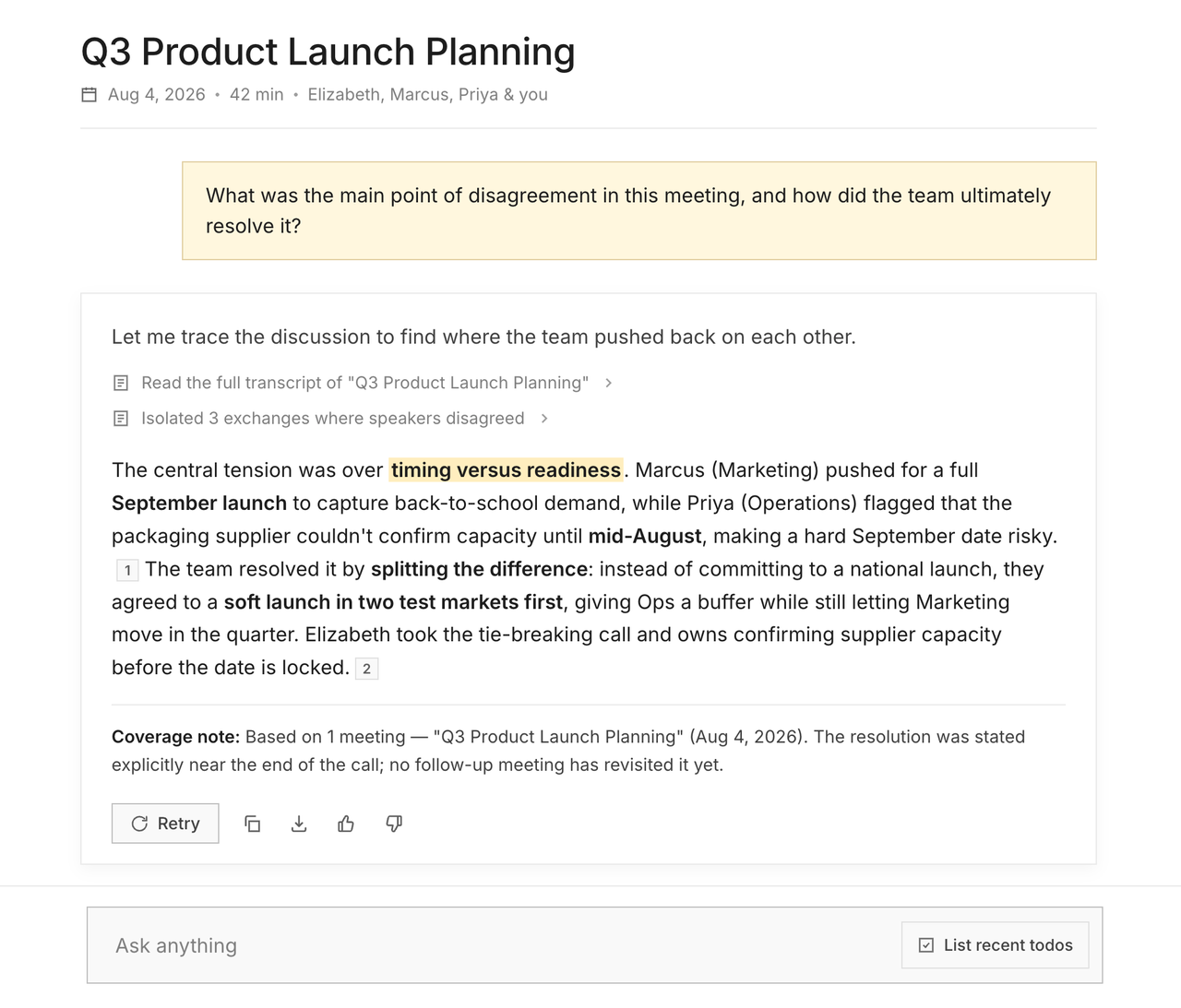
Ask across meetings
“What did we promise the client last quarter?”
Chat searches your whole meeting history, not just the call you’re looking at. Ask a plain-language question and Zolash pulls the answer from across sessions — decisions, commitments, numbers — even when they were spread over months of conversations.
Answers you can trust
Every answer traces back to the moment it came from.
Chat cites the meetings and moments behind each answer, so you can click straight through to the transcript and see the context. It’s a search across your own record, not a guess — and the whole record stays on your device.
Where Chat lives
Two ways to ask.
A full-page Chat view
Open Chat as its own workspace to dig across your entire history — ideal for prep, recall, and pulling a thread through many meetings.
An in-meeting panel
Ask about the conversation you’re in right now, or the one that just ended, from a panel beside your notes — without switching context.
Private by architecture
Your history stays on-device — even when you ask about it.
A chat that searches your meetings only stays private if the meetings — and your questions — never leave. Zolash keeps both on your device. There’s no cloud index of your conversations to query, and no record of what you asked sitting on someone else’s server.
See the privacy architectureWhat Chat can do
- Ask questions across your entire meeting history
- Citations link back to the exact moment in a transcript
- Chat about a single meeting or all of them at once
- Runs on the on-device model — nothing is sent out to answer
- Draft follow-ups and pull out action items from what was said
- Your meeting history never leaves your machine
Questions, answered.
What can I ask Zolash Chat?
Anything grounded in your meetings — what was decided, who owns a task, what a client asked for, how a number changed over time. Chat answers from your own history and links back to the moments it used.
Does Chat send my meetings to a server to answer?
No. Chat runs on the on-device model and reads your local meeting history. Nothing is uploaded to produce an answer, so your history — and the questions you ask — stay on your machine.
Can it answer across many meetings at once?
Yes. Chat can pull from your entire history, so it can connect points made in different sessions — not just the meeting you happen to be viewing.
How is this different from a cloud AI chatbot?
A general chatbot doesn’t know your meetings, and cloud meeting tools upload your history to answer. Zolash Chat is grounded in your own meetings and runs on-device, so you get specific, cited answers without your conversations leaving your machine.
Where does Chat live in the app?
There’s a full-page Chat view for working across your history, and an in-meeting panel you can open during or right after a call.
Turn your meetings into answers you can trust.
Start your free trial. Chat runs on the on-device model — nothing to configure, and your history never leaves your machine.
Available for macOS, Windows, and Linux. Nothing uploaded.