Everything Zolash does — on your device.
Zolash records without a bot, transcribes with speaker labels, and turns every meeting into an editable summary with action items — then lets you chat across your history and push notes to your tools. The recording, transcription, summaries, and AI all run and stay on your machine.
Available for macOS, Windows, and Linux. Nothing uploaded.
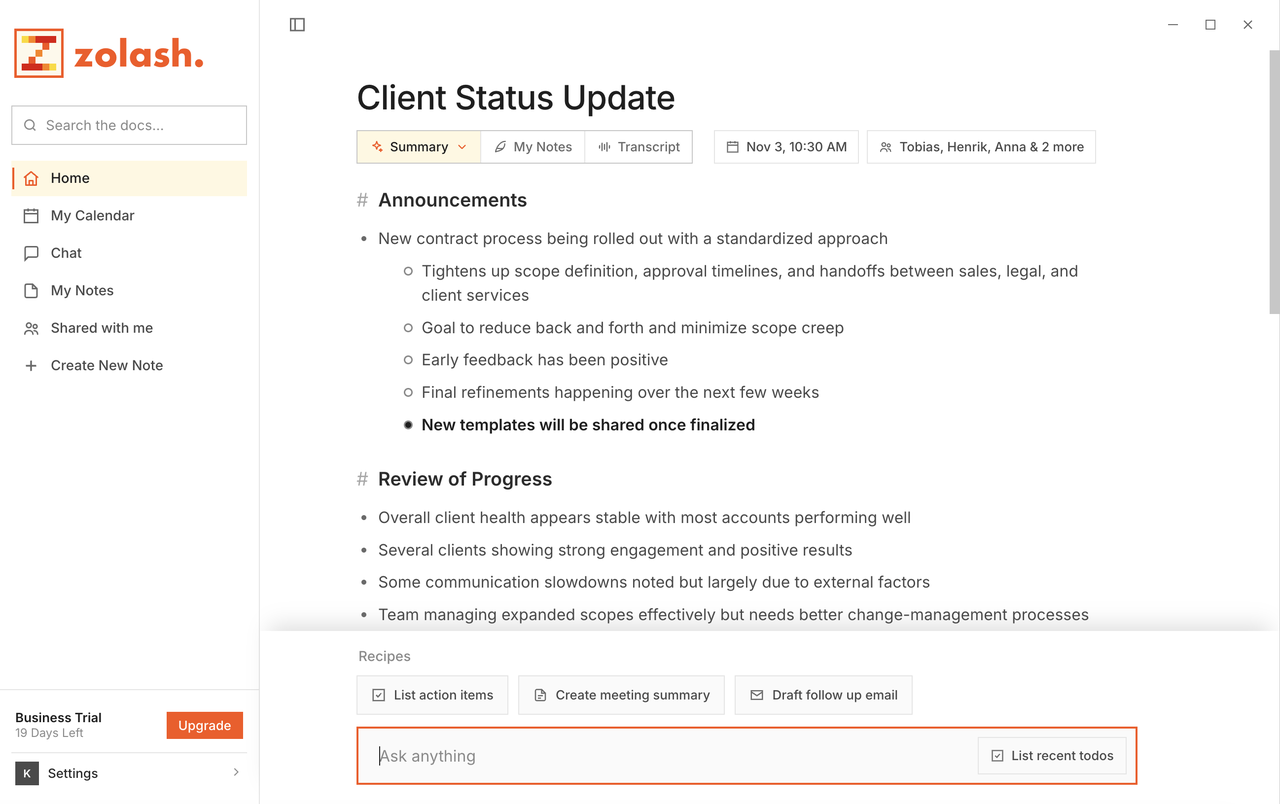
The four pillars
What makes Zolash different.
Present, not typing
Be in the room. Zolash writes the notes.
Editable AI summaries from sparse notes, a template for every meeting type, and a transcript you can correct in a click.
Learn morePrivate by architecture
Your meetings never leave your machine.
Recording, transcript, summary, and AI processing all happen on-device. Privacy by architecture, not by policy.
Learn moreOne model, on your device
Unlimited by design.
A meeting-tuned model runs locally — no cloud inference, no AI credits, no per-meeting caps. Record all day.
Learn moreFrom conversation to done
Summaries, actions, automations.
Push each summary to Slack, Notion, or Linear, or drop it into a local Markdown folder. Local API, MCP, and webhooks included.
Learn moreEvery capability
Explore each feature.
No bot
Nothing joins your call — capture from your own device.
Local-first
Everything runs and stays on your machine.
Your on-device AI
One meeting-tuned model, unlimited, no cloud inference.
Transcription
On-device transcripts with automatic speaker labels.
Summaries
Editable, structured summaries with templates.
Automations
Send notes to your tools; local API, MCP, webhooks.
Looking to ask questions across your meetings? That’s Zolash Chat, our second product.
Why it's different
Every feature runs inside the same boundary.
Whatever you're doing — recording, transcribing, summarising, or chatting — the work happens on your machine. Nothing about your meeting makes the round trip through someone's cloud.
Zolash — everything stays on your machine
No meeting content leaves the boundary.
Cloud notetakers — the round trip you don't control
Your content becomes their cloud data.
Questions, answered.
What does Zolash actually do?
It records your meetings without a bot, transcribes them with speaker labels, and produces editable summaries and action items — all on your device. You can also chat across your history and push notes to your other tools.
What runs on-device versus in the cloud?
Recording, transcription, summaries, chat, and the AI behind them all run on your machine. The only things that ever use the network are a license check, opt-in calendar sync, and exports you trigger yourself.
Do all the features work offline?
Yes. Because the core work happens locally, recording, transcription, and summaries all work with no internet connection.
Is there a limit on meetings or AI usage?
No. The model runs on your hardware, so there are no AI credits and no per-meeting caps — record as much as you like.
Be present. Zolash takes the notes — on your device.
Start your free trial. The on-device model is built in, so there's nothing to configure and no keys to paste.
Available for macOS, Windows, and Linux. Nothing uploaded.