On-device transcription, with speaker labels.
Zolash turns your meetings into speaker-labelled transcripts using a model that runs on your own device. Your audio is never uploaded to be transcribed — the recording becomes text right on your machine, in a wide range of languages, and you can correct any line in a click.
Available for macOS, Windows, and Linux. Nothing uploaded.
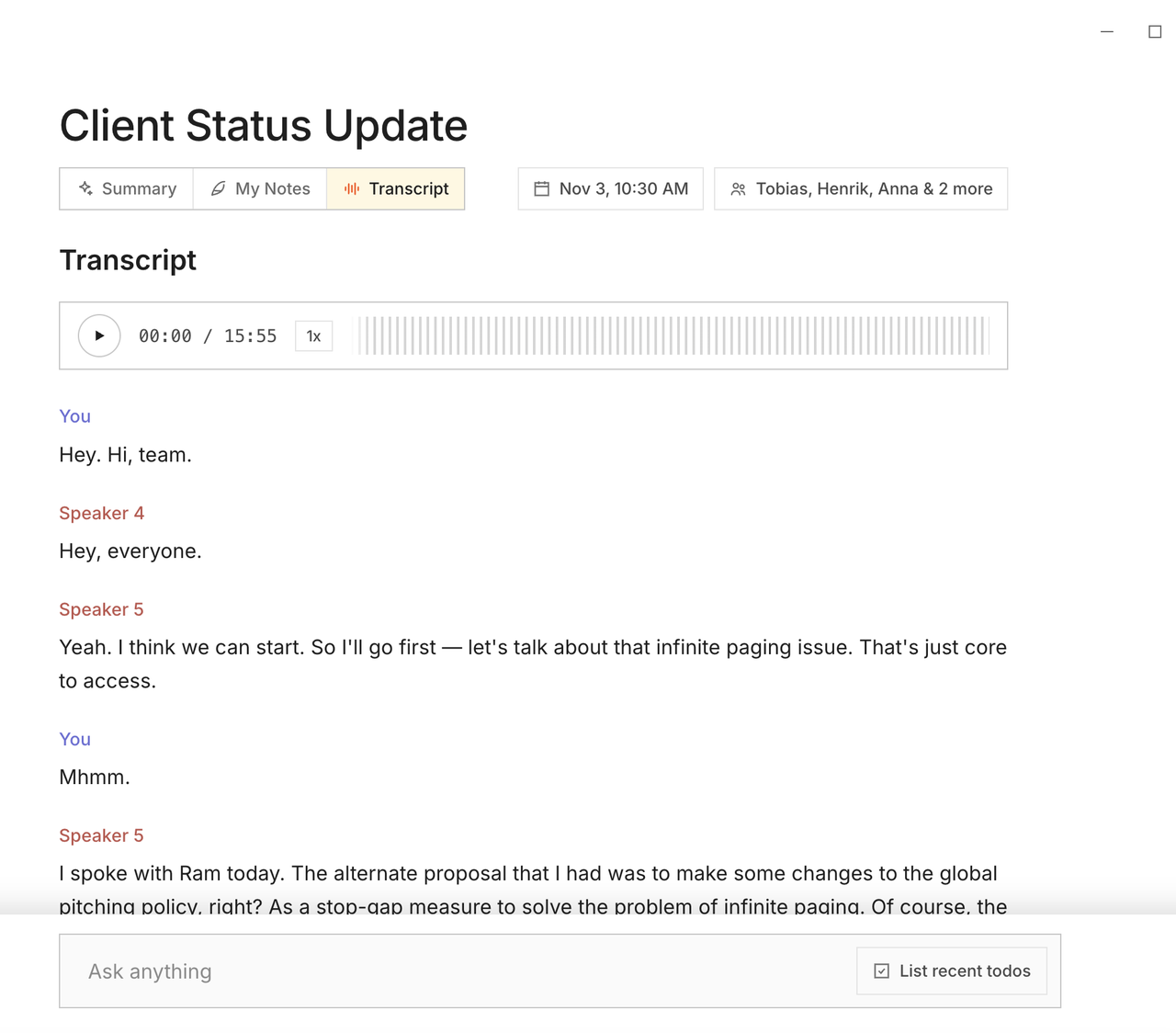
Speaker labels
Know who said what — without lifting a finger.
Zolash separates the voices in a conversation and labels each speaker as it transcribes, so the transcript reads like a script rather than a wall of text. Rename a speaker once and it applies throughout the meeting.
Correct in a click
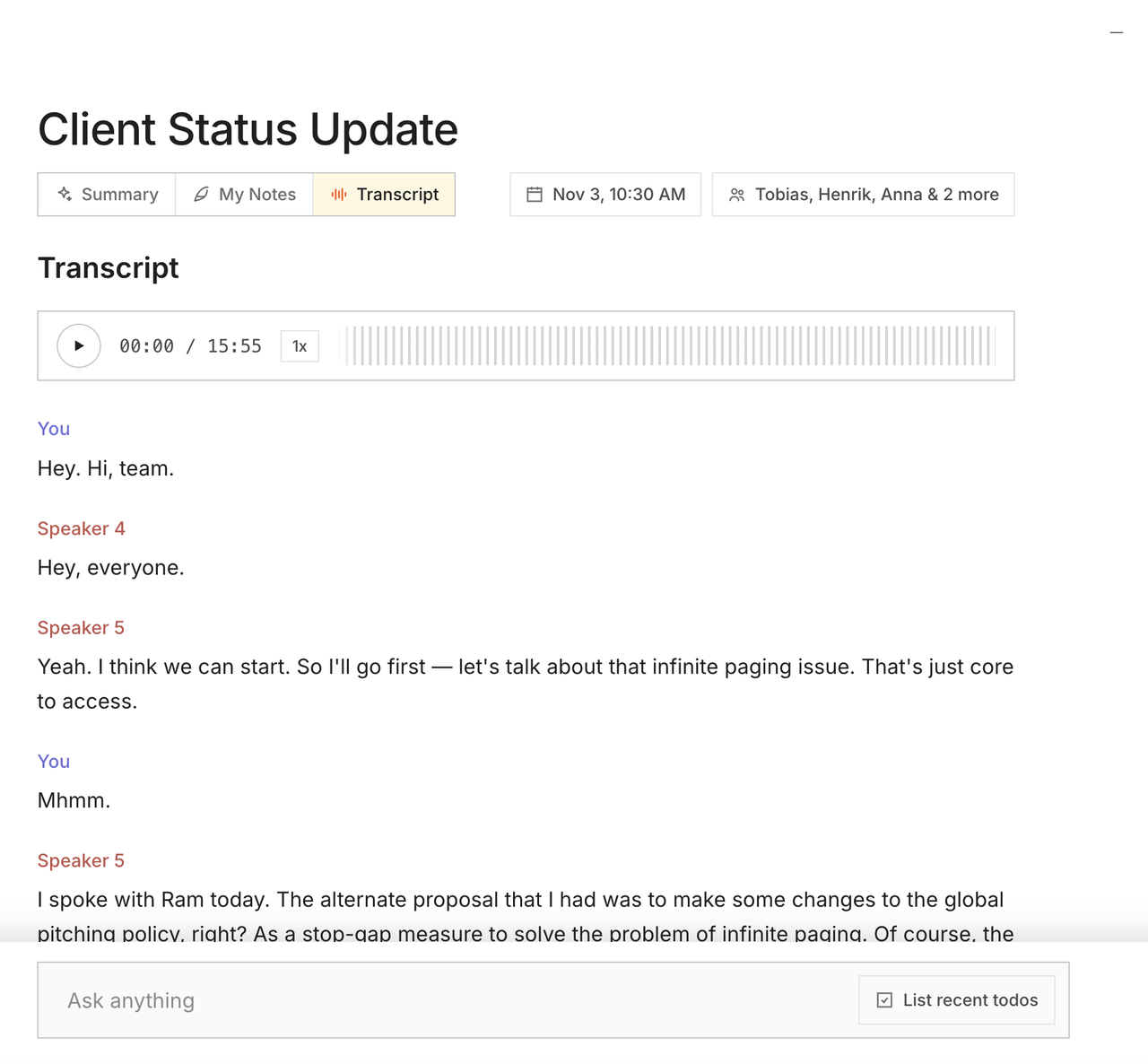
A living transcript you can fix as you read.
Catch a misheard name or term? Edit the transcript inline and the correction sticks. The transcript sits one tab away from your summary, so you can jump from a summary line straight to the moment it came from.
Why local matters here
Audio never leaves to become text.
Transcription is where most notetakers upload your recording to their servers. Zolash does it on-device, so the single most sensitive artifact — the raw audio of your conversation — never makes that trip. The transcript is generated, stored, and edited entirely on your machine.
See the privacy architectureWhat’s included
- Automatic speaker separation and labels
- Support for a wide range of languages
- Inline editing — corrections persist across the meeting
- Jump from any summary line to its moment in the transcript
- Timestamped, searchable text
- Exports as a plain, readable file you own
Questions, answered.
Is my audio uploaded to be transcribed?
No. Transcription runs on the on-device model, so the recording never leaves your machine to become text. There is no transcription server in the loop.
How accurate is on-device transcription?
The model is purpose-built for meetings and runs at full quality locally. Local doesn't mean lightweight — you get speaker-labelled transcripts you can correct in a click if anything is off.
Can it tell speakers apart?
Yes. Zolash separates voices and labels each speaker automatically, and you can rename a speaker once to have it apply across the whole transcript.
What languages are supported?
Zolash transcribes a wide range of languages on-device. Because everything runs locally, using another language doesn’t change where your data goes — it still stays on your machine.
Get speaker-labelled transcripts, on your device.
Start your free trial. The on-device model is built in — nothing to configure, nothing to upload.
Available for macOS, Windows, and Linux. Nothing uploaded.